Enhance your seller experience with Amazon News Hub
Through the message center, Amazon allows you to mark a message as "urgent," meaning that you will not be able to complete the order without further information.
Seven out of ten customers believe that quick customer service responses significantly enhance their shopping experience. The message center is your direct channel of communication with customers, used to receive feedback, process returns, and handle other important product inquiries.
Where is Amazon's messaging center located? How does it work?
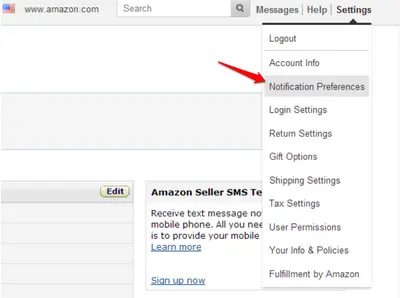
Amazon Messaging Hub (also known as Buyer/Seller Messaging Service) is located in the Seller Central main control panel and is presented as a chat system. Once enabled, you can also have these messages sent directly to your inbox.
What should I do if I need to get important information from a buyer who has opted out of receiving messages?
Through Amazon Message Center, you can mark a message as "urgent," meaning you need to provide more information to continue processing your order. You can send an urgent message by adding "[Important]" (square brackets are required) anywhere in the email subject line.
Amazon Buyer-Seller Communication Guide
Before sending any content, be sure to review Amazon's communication guidelines regarding permitted messaging. First, Amazon recommends that you avoid sending messages that already fall under the company's purview.
Outsource your customer service
Smaller sellers may only need an hour or two to view and reply to messages.