Amazon Augmented Reality (AR): How to Add 3D Content to Your Amazon FBA Product Information
Sellers can now add 3D content to their product listings so customers can view and “virtually try on” products in Amazon AR (Augmented Reality).
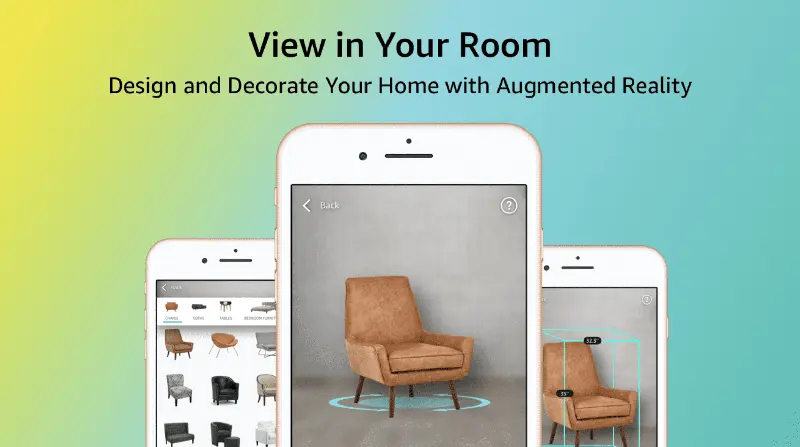
What is augmented reality?
Augmented reality (AR) is a technology that overlays digital information, such as images, videos, or 3D models, onto the real world. Unlike virtual reality, which immerses users in a completely digital environment, AR uses virtual elements to enhance the real world.
Why add 3D content to Amazon product detail pages?
Since customers cannot see or touch your products in person, adding 3D content and AR technology allows them to see as much of your product as possible, enabling them to make informed decisions.
Scan your product
The first way to create 3D content for your product detail page is to use the mobile 3D scanning feature in the Amazon Seller Central app (iOS devices only). If you have already registered a brand in your account, you will see the "Create 3D Model" option in the main menu of the Amazon Seller Central app.
Amazon AR: Add 3D content to your Amazon product listings
Help potential customers make more informed product choices by adding 3D content to your product listings! This allows customers to view 3D images of products, virtually try them on, or view them from their home or office.